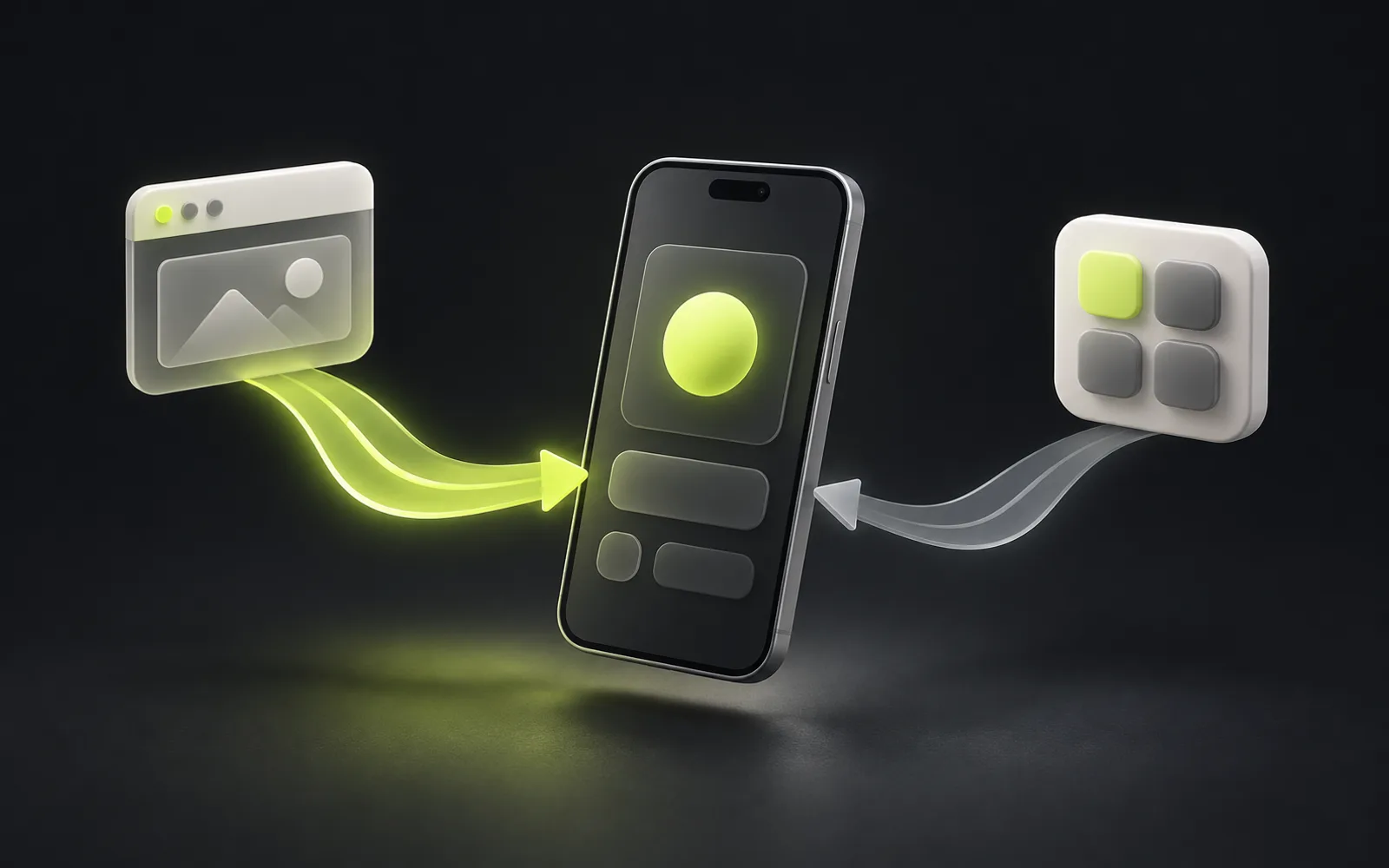
Your server sends a push notification, and a platform service delivers it to the phone: Firebase Cloud Messaging on Android and Apple Push Notification service on iOS. The app obtains a token — the device's address for that service — and passes it to your server; in Expo this is the ExpoPushToken, and the server sends messages through Expo Push Service, which talks to FCM and APNs for you. On SDK 57 push doesn't work in Expo Go: you need a development build, FCM credentials and a paid Apple Developer account for iOS.
After this you will be able to
- Explain the “server → Expo Push Service → FCM/APNs → device” chain and how an
ExpoPushTokendiffers from a native token - Get an
ExpoPushTokenin a development build in the right “channel → permission → token” order and store it on the server - Send a notification with
expo-server-sdk, handle tickets and receipts, and delete tokens that returnDeviceNotRegistered - Open the right screen when a notification is tapped, checking the path against an allow-list
Know beforehand
Verified with
Expo SDK 57 (expo 57.0.27)React Native 0.86.3expo-notifications 57.0.22expo-constants 57.0.21expo-server-sdk 7.2.0TypeScript 6.0.3 / 7.0.2jest-expo 57.0.5 + Jest 29.7undici 7.30.0Node.js 24 LTS (24.18.0)
Checked against docs: October 11, 2026
Contents
- How push works: your server, the platform service and the token
- Limitations and project setup
- Permission and token in the app
- Storing tokens on the server and handling stale ones
- Sending: the Expo Push API and expo-server-sdk
- Tapping a notification and opening a screen
- Verification: what was checked without a device
How push works: your server, the platform service and the token
A phone doesn't keep a connection to every server that might want to reach it. Instead the system keeps one connection to the platform service: Firebase Cloud Messaging (FCM) on Android and Apple Push Notification service (APNs) on iOS. So the service knows where to deliver a message, the app registers and receives a token — in Apple's words, the app's address on that particular device. The token goes to your server, and the server includes it in every message.
- 01Your server
- 02Expo Push Service
- 03FCM / APNs
- 04Phone
Expo adds an intermediate hop: getExpoPushTokenAsync() returns an ExpoPushToken like ExponentPushToken[…], and the server sends messages to the Expo Push API in one format for both platforms. Expo Push Service queues them and hands them to FCM and APNs using your credentials. It isn't mandatory: getDevicePushTokenAsync() returns the native token, which you can use with FCM and APNs directly.
Token
- Expo Push Service
ExpoPushToken, one format- FCM and APNs directly
- Native FCM token and APNs token
Server
- Expo Push Service
- One HTTPS request or
expo-server-sdk - FCM and APNs directly
- Two integrations: FCM HTTP v1 and APNs
Features
- Expo Push Service
- The essentials: title, body, data, channel, badge, sound
- FCM and APNs directly
- Every platform feature
Cost and limits
- Expo Push Service
- Free; 600 notifications per second per project
- FCM and APNs directly
- Per Google's and Apple's rules
Notifications come in two kinds. A regular one (with title and body) is shown by the system when the app isn't on screen. A headless background notification carries only data and wakes a JavaScript task — but the OS doesn't guarantee delivery to the app, and Apple advises sending no more than two or three per hour. Expo recommends regular notifications unless you need background processing.
Limitations and project setup
- Since SDK 53 Expo Go doesn't support push: you need a development build — your own build of the app with the native notifications module.
- You can test on physical devices, on an Android emulator with Google Play services, and on an iOS Simulator from Xcode 14+ (macOS 13+, iOS 16+).
- Android needs FCM v1 credentials from a Firebase project, uploaded to EAS.
- iOS needs a paid Apple Developer account: on the first build EAS CLI offers to create an APNs key.
- Native configuration changes (the plugin, the default channel, the icon) require a new build — they can't ship over the air.
npx expo install expo-notifications expo-constants
npm install --global eas-cli
eas init    # создать или привязать проект EAS
eas build # development build с учётными данными push; профили — в eas.json{
"expo": {
"name": "Orders",
"scheme": "orders",
"plugins": [
[
"expo-notifications",
{
"color": "#1F6FEB",
"defaultChannel": "orders"
}
]
]
}
}The example has two parts: the Expo app (file paths are relative to the project root) and a Node.js server in a separate server/ folder.
Permission and token in the app
As with the camera, ask when the user sees the benefit: a “Notify me about my order” button after checkout works better than a prompt on first launch. iOS doesn't require a purpose string for notifications. On Android 13 and later POST_NOTIFICATIONS is a runtime permission, and the system prompt won't appear until the app has created at least one notification channel — so the channel comes first.
import { Platform } from 'react-native';
import * as Notifications from 'expo-notifications';
import Constants from 'expo-constants';

export type PushRegistration =
  | { status: 'granted'; token: string }
  | { status: 'denied' } // пользователь отказал — работаем без push
  | { status: 'error'; reason: string }; // нет сети, нет projectId — повторим позже

export async function registerForPush(): Promise<PushRegistration> {
  // Android 13+: системный запрос не появится, пока в приложении нет ни одного канала
  if (Platform.OS === 'android') {
    await Notifications.setNotificationChannelAsync('orders', {
      name: 'Статус заказов',
      importance: Notifications.AndroidImportance.HIGH,
    });
  }

  const current = await Notifications.getPermissionsAsync();
  const permission = current.granted ? current : await Notifications.requestPermissionsAsync();
  if (!permission.granted) return { status: 'denied' };

  const projectId = Constants.expoConfig?.extra?.eas?.projectId ?? Constants.easConfig?.projectId;
  if (!projectId) return { status: 'error', reason: 'no-project-id' };

  try {
    // запрос идёт на серверы Expo — без сети он отклоняется
    const { data } = await Notifications.getExpoPushTokenAsync({ projectId });
    return { status: 'granted', token: data };
  } catch (e) {
    return { status: 'error', reason: String(e) };
  }
}

export async function sendTokenToServer(apiUrl: string, authToken: string, pushToken: string) {
  const response = await fetch(`${apiUrl}/v1/push-tokens`, {
    method: 'POST',
    headers: { 'Content-Type': 'application/json', Authorization: `Bearer ${authToken}` },
    body: JSON.stringify({ token: pushToken, platform: Platform.OS }),
  });
  if (!response.ok) throw new Error(`HTTP ${response.status}`);
}import './src/push/handler';
import { useCallback, useState } from 'react';
import { StatusBar } from 'expo-status-bar';
import { Button, StyleSheet, Text, View } from 'react-native';
import { registerForPush, sendTokenToServer, type PushRegistration } from './src/push/registerForPush';
import { useNotificationNavigation } from './src/push/useNotificationNavigation';
const API_URL = process.env.EXPO_PUBLIC_API_URL ?? 'https://api.example.com';
export default function App() {
const [screen, setScreen] = useState('/orders');
const [push, setPush] = useState<PushRegistration | null>(null);
// в проекте с Expo Router здесь будет router.push(url)
const open = useCallback((url: string) => setScreen(url), []);
useNotificationNavigation(open);
async function enablePush() {
const result = await registerForPush();
setPush(result);
if (result.status === 'granted') {
// токен авторизации берётся из SecureStore после входа; здесь — заглушка
await sendTokenToServer(API_URL, 'YOUR_AUTH_TOKEN', result.token).catch(() => undefined);
}
}
return (
<View style={styles.container}>
<Text>Экран: {screen}</Text>
{push?.status !== 'granted' && (
<Button title="Сообщать о статусе заказа" onPress={enablePush} />
)}
{push?.status === 'denied' && (
<Text>Уведомления выключены. Статус заказа всегда виден в разделе «Мои заказы».</Text>
)}
<StatusBar style="auto" />
</View>
);
}
const styles = StyleSheet.create({
container: { flex: 1, padding: 24, paddingTop: 64, gap: 12, backgroundColor: '#fff' },
});getExpoPushTokenAsync() calls Expo's servers, so it rejects when offline: the docs recommend catching the error and retrying later. Register on every launch for users who have already allowed notifications — Apple explicitly warns against caching the token forever: it changes after restoring from a backup, installing on a new device or reinstalling the OS.
Storing tokens on the server and handling stale ones
On the server a token is a “user — device” record. One person may have several devices, and a device that switches accounts must move to the new owner. The lesson uses an in-memory store, but the interface is the same as for a database table.
// Хранилище push-токенов. В учебном примере — в памяти; в проекте — таблица
// push_tokens (user_id, token, platform, updated_at) в вашей базе.
export interface TokenStore {
  save(userId: string, token: string): Promise<void>;
  listForUser(userId: string): Promise<string[]>;
  remove(token: string): Promise<void>;
}

export class MemoryTokenStore implements TokenStore {
  private byUser = new Map<string, Set<string>>();

  async save(userId: string, token: string) {
    for (const tokens of this.byUser.values()) tokens.delete(token); // токен принадлежит одному пользователю
    const tokens = this.byUser.get(userId) ?? new Set<string>();
    tokens.add(token);
    this.byUser.set(userId, tokens);
  }

  async listForUser(userId: string) {
    return [...(this.byUser.get(userId) ?? [])];
  }

  async remove(token: string) {
    for (const tokens of this.byUser.values()) tokens.delete(token);
  }
}Sign-in and every launch with permission
- What to do with the token
- Save or update: the
ExpoPushTokensurvives app updates, but on Android it may change after a reinstall
Sign-out
- What to do with the token
- Delete the server record so the previous user's notifications don't reach the new one
A ticket or receipt with DeviceNotRegistered
- What to do with the token
- Delete the token and stop sending to it until the device registers again
Changing the applicationId or the Expo project
- What to do with the token
- Tokens change — the old ones stop working
Sending: the Expo Push API and expo-server-sdk
The Expo Push API is an HTTPS POST to https://exp.host/--/api/v2/push/send with a JSON message or an array of up to 100 messages. The request below uses the documented format with a placeholder instead of a token; a real token comes from the device.
curl -H "Content-Type: application/json" -X POST "https://exp.host/--/api/v2/push/send" -d '{
  "to": "ExponentPushToken[xxxxxxxxxxxxxxxxxxxxxx]",
  "title": "Заказ готов",
  "body": "Заказ №1042 можно забрать",
  "data": { "url": "/orders/1042" },
  "channelId": "orders"
}'
The response isn't delivery but a ticket: status: "ok" with an id only means Expo accepted the message. Later you use the id to fetch a push receipt — whether FCM or APNs accepted the message. Expo recommends checking receipts about 15 minutes later; they are kept for 24 hours. Even an ok receipt doesn't guarantee that a switched-off phone got the notification.
import { Expo, type ExpoPushMessage } from 'expo-server-sdk';
import type { TokenStore } from './store.ts';

export type PushContent = { title: string; body: string; url: string };
export type PendingReceipt = { receiptId: string; token: string };

export async function notifyUser(
  expo: Expo,
  store: TokenStore,
  userId: string,
  content: PushContent,
): Promise<PendingReceipt[]> {
  const tokens = (await store.listForUser(userId)).filter((t) => Expo.isExpoPushToken(t));
  const messages: ExpoPushMessage[] = tokens.map((to) => ({
    to,
    title: content.title,
    body: content.body,
    data: { url: content.url }, // куда открыть приложение по нажатию
    sound: 'default',
    channelId: 'orders', // канал должен быть создан в приложении
  }));

  const pending: PendingReceipt[] = [];
  // не больше 100 сообщений в запросе — SDK режет на части сам
  for (const chunk of expo.chunkPushNotifications(messages)) {
    const tickets = await expo.sendPushNotificationsAsync(chunk);
    for (const [i, ticket] of tickets.entries()) {
      const token = chunk[i].to as string;
      if (ticket.status === 'ok') pending.push({ receiptId: ticket.id, token });
      else if (ticket.details?.error === 'DeviceNotRegistered') await store.remove(token);
      else console.error('push ticket error', ticket.message);
    }
  }
  return pending; // квитанции проверяем позже — Expo советует через 15 минут
}

export async function checkReceipts(expo: Expo, store: TokenStore, pending: PendingReceipt[]) {
  const tokenById = new Map(pending.map((p) => [p.receiptId, p.token]));
  let failed = 0;
  for (const ids of expo.chunkPushNotificationReceiptIds([...tokenById.keys()])) {
    const receipts = await expo.getPushNotificationReceiptsAsync(ids);
    for (const [id, receipt] of Object.entries(receipts)) {
      if (receipt.status === 'ok') continue;
      failed++;
      // устройство больше не принимает push: перестаём слать на этот токен
      if (receipt.details?.error === 'DeviceNotRegistered') await store.remove(tokenById.get(id)!);
    }
  }
  return { checked: tokenById.size, failed };
}import { createServer, type IncomingMessage } from 'node:http';
import { Expo } from 'expo-server-sdk';
import { notifyUser } from './push.ts';
import type { TokenStore } from './store.ts';
async function readJson(req: IncomingMessage): Promise<Record<string, unknown>> {
let raw = '';
for await (const chunk of req) raw += chunk;
return raw ? JSON.parse(raw) : {};
}
// Учебная авторизация: в проекте userId берут из проверенной сессии или JWT, а не из заголовка
function userIdOf(req: IncomingMessage): string | null {
const id = req.headers['x-demo-user'];
return typeof id === 'string' && id ? id : null;
}
export function createPushServer(expo: Expo, store: TokenStore) {
return createServer(async (req, res) => {
const send = (status: number, body?: unknown) => {
if (body === undefined) return void res.writeHead(status).end();
res.writeHead(status, { 'content-type': 'application/json' });
res.end(JSON.stringify(body));
};
const userId = userIdOf(req);
if (!userId) return send(401, { error: 'unauthorized' });
try {
if (req.method === 'POST' && req.url === '/v1/push-tokens') {
const { token } = await readJson(req);
if (!Expo.isExpoPushToken(token)) return send(400, { error: 'invalid_token' });
await store.save(userId, token);
return send(204);
}
if (req.method === 'POST' && req.url === '/v1/test-push') {
const pending = await notifyUser(expo, store, userId, {
title: 'Заказ готов',
body: 'Заказ №1042 можно забрать',
url: '/orders/1042',
});
return send(202, { queued: pending.length });
}
send(404, { error: 'not_found' });
} catch (error) {
console.error(error);
send(500, { error: 'internal' });
}
});
}expo-server-sdk, maintained by the Expo team, splits messages into chunks, limits concurrent connections, compresses large requests and retries with backoff on 429 and 5xx — Expo recommends it over hand-written requests.- The total notification payload must be at most 4096 bytes, otherwise you get
MessageTooBig. Put an ID and a path indata, not the whole order. - If tokens leak, anyone could send messages to your users on your behalf. In the EAS dashboard on expo.dev you can enable enhanced push security: requests without an access token are then rejected, and the SDK passes it via the
accessTokenoption. channelIdmust match a channel created in the app: on Android a notification sent to a non-existent channel is not shown.
import { Expo } from 'expo-server-sdk';
import { createPushServer } from './server.ts';
import { MemoryTokenStore } from './store.ts';

// EXPO_ACCESS_TOKEN нужен, если в настройках проекта включена защита push (Enhanced Security)
const expo = new Expo({ accessToken: process.env.EXPO_ACCESS_TOKEN });
const port = Number(process.env.PORT ?? 3000);

createPushServer(expo, new MemoryTokenStore()).listen(port, () => {
  console.log(`push server on http://localhost:${port}`);
});node src/main.ts (Node.js 24 runs TypeScript without a build step)Tapping a notification and opening a screen
On SDK 57 a notification that arrives while the app is open isn't shown by default: you set the behaviour with setNotificationHandler, which must answer within 3 seconds. SDK 58 changes this — foreground notifications will be shown by default — so an explicit handler is useful either way.
import * as Notifications from 'expo-notifications';

// В SDK 57 уведомление при открытом приложении по умолчанию не показывается —
// решаем явно. Вызывается один раз, на верхнем уровне модуля.
Notifications.setNotificationHandler({
  handleNotification: async () => ({
    shouldShowBanner: true,
    shouldShowList: true,
    shouldPlaySound: false,
    shouldSetBadge: false,
  }),
});Opening a screen on tap covers two cases. If the app was closed and launched by the tap, the response is in getLastNotificationResponse(). If it was running, addNotificationResponseReceivedListener fires. The path comes from data.url, but we don't open just anything: the data may be stale or tampered with, so only allow-listed screens are accepted.
// Путь из data.url уведомления — только внутренние экраны из белого списка.
// Push может прийти с устаревшими или подменёнными данными: не открываем что попало.
const ALLOWED = [/^\/orders\/[\w-]+$/, /^\/orders$/, /^\/profile$/];

export function notificationUrl(data: unknown): string | null {
  if (typeof data !== 'object' || data === null) return null;
  const url = (data as { url?: unknown }).url;
  if (typeof url !== 'string') return null;
  return ALLOWED.some((re) => re.test(url)) ? url : null;
}import { useEffect } from 'react';
import * as Notifications from 'expo-notifications';
import { notificationUrl } from './notificationUrl';
export function useNotificationNavigation(open: (url: string) => void) {
useEffect(() => {
function handle(response: Notifications.NotificationResponse) {
const url = notificationUrl(response.notification.request.content.data);
if (url) open(url);
}
// приложение было закрыто и запущено нажатием на уведомление
const last = Notifications.getLastNotificationResponse();
if (last) handle(last);
// приложение уже работало (на экране или в фоне)
const subscription = Notifications.addNotificationResponseReceivedListener(handle);
return () => subscription.remove();
}, [open]);
}open is router.pushVerification: what was checked without a device
Real delivery can only be seen on a device with a development build: Expo offers a web-based push notifications tool where you paste the token from the phone. Everything else is covered by tests. The server is tested with the built-in node:test, and the Expo Push API is replaced by undici's MockAgent: the SDK accepts it via the httpAgent option, so no request reaches the real exp.host.
import { test, beforeEach } from 'node:test';
import assert from 'node:assert/strict';
import type { AddressInfo } from 'node:net';
import { MockAgent } from 'undici';
import { Expo } from 'expo-server-sdk';
import { checkReceipts } from '../src/push.ts';
import { createPushServer } from '../src/server.ts';
import { MemoryTokenStore } from '../src/store.ts';

// плейсхолдеры в формате Expo — настоящих токенов и устройств нет
const TOKEN_A = 'ExponentPushToken[aaaaaaaaaaaaaaaaaaaaaa]';
const TOKEN_B = 'ExponentPushToken[bbbbbbbbbbbbbbbbbbbbbb]';

let agent: MockAgent;
let store: MemoryTokenStore;
let expo: Expo;

beforeEach(() => {
  agent = new MockAgent();
  agent.disableNetConnect(); // ни одного запроса к настоящему exp.host
  store = new MemoryTokenStore();
  expo = new Expo({ httpAgent: agent });
});

async function withServer(fn: (url: string) => Promise<void>) {
  const server = createPushServer(expo, store).listen(0);
  await new Promise((r) => server.once('listening', r));
  try {
    await fn(`http://127.0.0.1:${(server.address() as AddressInfo).port}`);
  } finally {
    server.close();
  }
}

test('регистрация токена: 401 без пользователя, 400 на мусор, 204 на токен Expo', async () => {
  await withServer(async (url) => {
    const post = (body: unknown, user?: string) =>
      fetch(`${url}/v1/push-tokens`, {
        method: 'POST',
        headers: { 'content-type': 'application/json', ...(user ? { 'x-demo-user': user } : {}) },
        body: JSON.stringify(body),
      });
    assert.equal((await post({ token: TOKEN_A })).status, 401);
    assert.equal((await post({ token: 'not-a-token' }, 'u1')).status, 400);
    assert.equal((await post({ token: TOKEN_A }, 'u1')).status, 204);
    assert.deepEqual(await store.listForUser('u1'), [TOKEN_A]);
  });
});

test('отправка: тикет DeviceNotRegistered удаляет токен, ok попадает в квитанции', async () => {
  await store.save('u1', TOKEN_A);
  await store.save('u1', TOKEN_B);
  let sentBody: Array<Record<string, unknown>> = [];
  agent
    .get('https://exp.host')
    .intercept({ path: '/--/api/v2/push/send', method: 'POST' })
    .reply(200, (opts) => {
      sentBody = JSON.parse(String(opts.body)); // SDK сжимает gzip только большие запросы
      return {
        data: [
          { status: 'ok', id: 'receipt-1' },
          { status: 'error', message: 'not registered', details: { error: 'DeviceNotRegistered' } },
        ],
      };
    });

  await withServer(async (url) => {
    const res = await fetch(`${url}/v1/test-push`, { method: 'POST', headers: { 'x-demo-user': 'u1' } });
    assert.equal(res.status, 202);
    assert.deepEqual(await res.json(), { queued: 1 });
  });
  assert.equal(sentBody.length, 2);
  assert.deepEqual(sentBody[0].data, { url: '/orders/1042' });
  assert.equal(sentBody[0].channelId, 'orders');
  assert.deepEqual(await store.listForUser('u1'), [TOKEN_A]);
});

test('квитанции: DeviceNotRegistered удаляет токен', async () => {
  await store.save('u1', TOKEN_A);
  agent
    .get('https://exp.host')
    .intercept({ path: '/--/api/v2/push/getReceipts', method: 'POST' })
    .reply(200, { data: { 'receipt-1': { status: 'error', details: { error: 'DeviceNotRegistered' } } } });

  const result = await checkReceipts(expo, store, [{ receiptId: 'receipt-1', token: TOKEN_A }]);
  assert.deepEqual(result, { checked: 1, failed: 1 });
  assert.deepEqual(await store.listForUser('u1'), []);
});In the app, jest-expo with mocked expo-notifications and expo-constants checks the “channel → permission → token” order, denial, a network error and tap navigation, including refusing a path outside the allow-list.
$ cd server && npx tsc --noEmit && npm test
✔ регистрация токена: 401 без пользователя, 400 на мусор, 204 на токен Expo (30.1206ms)
✔ отправка: тикет DeviceNotRegistered удаляет токен, ok попадает в квитанции (14.2506ms)
✔ квитанции: DeviceNotRegistered удаляет токен (1.4411ms)
ℹ tests 3
ℹ pass 3
ℹ fail 0
$ cd ../app && npx tsc --noEmit && npx jest
PASS __tests__/notificationNavigation.test.tsx
PASS __tests__/registerForPush.test.ts
Tests:       6 passed, 6 total
$ npx expo export --platform android --platform ios
Android Bundled 6092ms index.ts (643 modules)
iOS Bundled 9340ms index.ts (645 modules)
Exported: dist- A development build is installed; push isn't tested in Expo Go
- FCM v1 credentials and an APNs key are uploaded to EAS
- The Android channel is created before requesting the token, and
channelIdin messages matches - The token is saved on sign-in and deleted on sign-out
DeviceNotRegisteredin tickets and receipts deletes the token- A tap opens only allowed screens
How this was verified2 · passed3 · not runchecked 11 October 2026
“Run” means the code was executed in a scratch project or container and the output in the article comes from that run. “Partial” means it was checked against stubs instead of external services. “Not run” means it needs a device, an account or a key; the steps were checked against the official documentation. The verification project files and run logs are kept in the InterLAB archive.